
Most coaching forms are too long in some places and missing something important in others.
A forty-question intake can still leave out the medication that changes everything, while a weekly check-in asks the same ten questions until the client stops filling it in. The fix isn’t a better template. It’s knowing what each form is for, asking only what you’ll use, and treating health information with the care it needs.
This guide covers each form in a typical coaching relationship, with example questions you can adapt. For turning intake answers into a first consultation, see our client onboarding guide.
01 / Overview
The forms, in order
| Form | When | What it’s for |
|---|---|---|
| Enquiry | Before a sales call | Deciding whether you can help, and what to talk about |
| Intake questionnaire | After signup, before the first consultation | Goals, routine, food and practical limits |
| Health screen | With the intake | Whether coaching is suitable, or needs a referral or clearance first |
| Agreement and consent | Before coaching starts | What you provide, how you work and how you handle their information |
| Weekly check-in | Each week or fortnight | What happened, and what to adjust |
| Progress review | Every 4 to 12 weeks | Whether the approach is working, and what comes next |
| Closing feedback | When coaching ends | What helped, what didn’t and what happens to their information |
A small practice can start with three: an intake that includes the health screen, an agreement, and a weekly check-in. Add the others as your process settles.
02 / Before the call
Enquiry form
The enquiry form only has to tell you whether a conversation is worthwhile. Keep it to five questions or fewer:
- Name and email address.
- What would you like help with?
- What have you already tried?
- When would you like to start?
- How did you hear about me?
Leave health questions out at this stage. You don’t need them to decide whether to have a call, and collecting sensitive information from people who may never become clients creates work and risk for no benefit.
03 / After signup
Intake questionnaire
The intake gives you enough context to make the first consultation useful. For each question, know what you’ll do with the answer; if you can’t say, leave it out.
| Section | Example questions |
|---|---|
| Goals | What would you like coaching to help you do? What would make the first month feel worthwhile? |
| A typical day | What does a normal working day look like, from waking to bed? When do you usually eat? Who does the cooking at home? |
| Food | Which foods do you enjoy, and which do you avoid? Are there cultural, religious or ethical preferences I should know about? Roughly what do you spend on food each week? |
| Cooking | How confident are you cooking? How much time do you have on a weekday evening? What equipment do you have? |
| Activity | What exercise or training do you do now, and how often? |
| Sleep and stress | How would you describe your sleep at the moment? Is anything making the next few months harder than usual? |
| Previous attempts | What have you tried before? What helped, even a little? |
| Practicalities | How would you like me to contact you? Which day suits a weekly check-in? |
Open questions give you more to work with than tick boxes. “Which part of your current routine feels hardest?” tells you more than a rating of your client’s diet out of ten.
04 / Suitability
Health screen
The health screen isn’t there to diagnose anything. Its job is to show whether coaching is suitable as planned, whether someone else should be involved, and what you need to work around.
Typical questions:
- Do you have any diagnosed medical conditions?
- Do you take any medication that affects appetite, weight or what you can eat?
- Are you pregnant, breastfeeding or planning a pregnancy?
- Do you have any diagnosed food allergies or intolerances?
- Are you currently under the care of a GP, dietitian or specialist for anything related to food or weight?
- Have you ever had an eating disorder, or do you have a difficult relationship with food? (Offer “I’d prefer to talk about this on a call” as an answer.)
Decide in advance what each answer means for you. Some mean you work alongside the client’s doctor or dietitian; some mean asking for medical clearance first; some mean the work is outside your scope and you refer. Writing that down before anyone fills in the form keeps your responses consistent.
If you also coach exercise, the PAR-Q+ is a widely used pre-participation screening questionnaire, published by the PAR-Q+ Collaboration at eparmedx.com. Its terms say official, unmodified versions are currently available without charge for eligible uses, subject to its conditions, and that changing it needs written permission, so use the official version rather than retyping it into your own template, and check the terms cover your use. Training clients? Our free personal training consultation form covers the rest of a first consultation.
05 / Data protection
Consent and health information
Answers to a health screen are health information, and many countries give it extra protection.
- UK and Ireland. Health information is special category data. To use it you need a lawful basis and a separate condition, and where that condition is explicit consent, the ICO says it must be confirmed in a clear statement, name the type of information and be kept separate from other consents. Ireland applies the same EU rules; the Data Protection Commission’s guidance on legal bases covers special category data.
- Australia. Health information is sensitive information under the Privacy Act, and businesses that provide a health service are covered regardless of turnover. The OAIC’s health privacy guide includes nutritionists, gyms and weight-loss clinics among its examples, so it’s safest to assume the Act applies to you.
- United States. HIPAA applies only to covered entities and their business associates, which most independent coaches are not. State consumer health privacy laws can still apply, so check the rules where your clients live.
Wherever you work, a few habits help:
- Ask for less. Collect what you need to coach safely and nothing more.
- Explain it. A short privacy notice should say what you collect, why, who can see it, how long you keep it and how the client can ask for it to be deleted.
- Ask separately. Where you rely on consent, ask for it on its own, with a box the client ticks themselves, not bundled into accepting your terms.
- Keep it in one place. Store answers in one system with restricted access and two-step sign-in, rather than scattered across email, messages and downloads.
- Delete on schedule. Decide how long you keep records after coaching ends, and stick to it.
This is general information, not legal advice. If you work with clinical conditions or in several countries, take advice on what applies to you.
06 / Before coaching starts
Coaching agreement
The agreement sets expectations before anything goes wrong. It usually covers:
- what’s included, and what isn’t: coaching is not medical care, diagnosis or treatment;
- how and when you’ll be in contact, and how quickly you reply;
- check-in expectations, and what happens when one is missed;
- start and end dates, renewals, cancellation and refunds;
- how clients may use resources you share: for example, for their personal use only;
- how you handle their information, with a link to your privacy notice.
Have a solicitor or adviser check your agreement once, then reuse it. Our onboarding guide covers how to send it with a clear first step.
07 / Every week
Weekly check-in
A check-in only helps if clients complete it, so keep it short enough to finish in a few minutes. A useful structure:
Make measurements optional. Some clients find weighing themselves useful; for others it gets in the way. Agree at the start which measures, if any, you’ll track. The open questions usually tell you more than the numbers, and the onboarding guide includes a neutral message for a missed check-in.
08 / Every few months
Progress review
A review steps back from week-to-week detail. Run it every four to twelve weeks, depending on the length of your programme, and compare the answers with the intake:
- Looking back at what you wanted from coaching, what has changed?
- Which habits feel settled now, and which still take effort?
- What’s still hard?
- What would you like to focus on next?
- Is there anything about how we work together that you’d like to change?
Use the answers to agree the next phase, and record what you agreed.
09 / When coaching ends
Closing feedback
A short form at the end tells you what to keep and what to change:
- What helped you most?
- What would you change about the coaching?
- Which resources did you actually use?
- Would you be happy for me to quote your feedback? If so, how would you like to be named?
Ask for permission to quote as a separate question, and use only what the client agrees to. Tell them, too, what happens to their information now: how long you keep it, and how to ask for it to be deleted sooner.
10 / Tools
Building the forms
Google Forms, Microsoft Forms, Jotform and Typeform all work, as do the form features in many coaching apps. Before you choose, check where the tool stores responses, who in your business can see them, whether you can turn on two-step sign-in, and how easily you can export or delete one client’s answers.
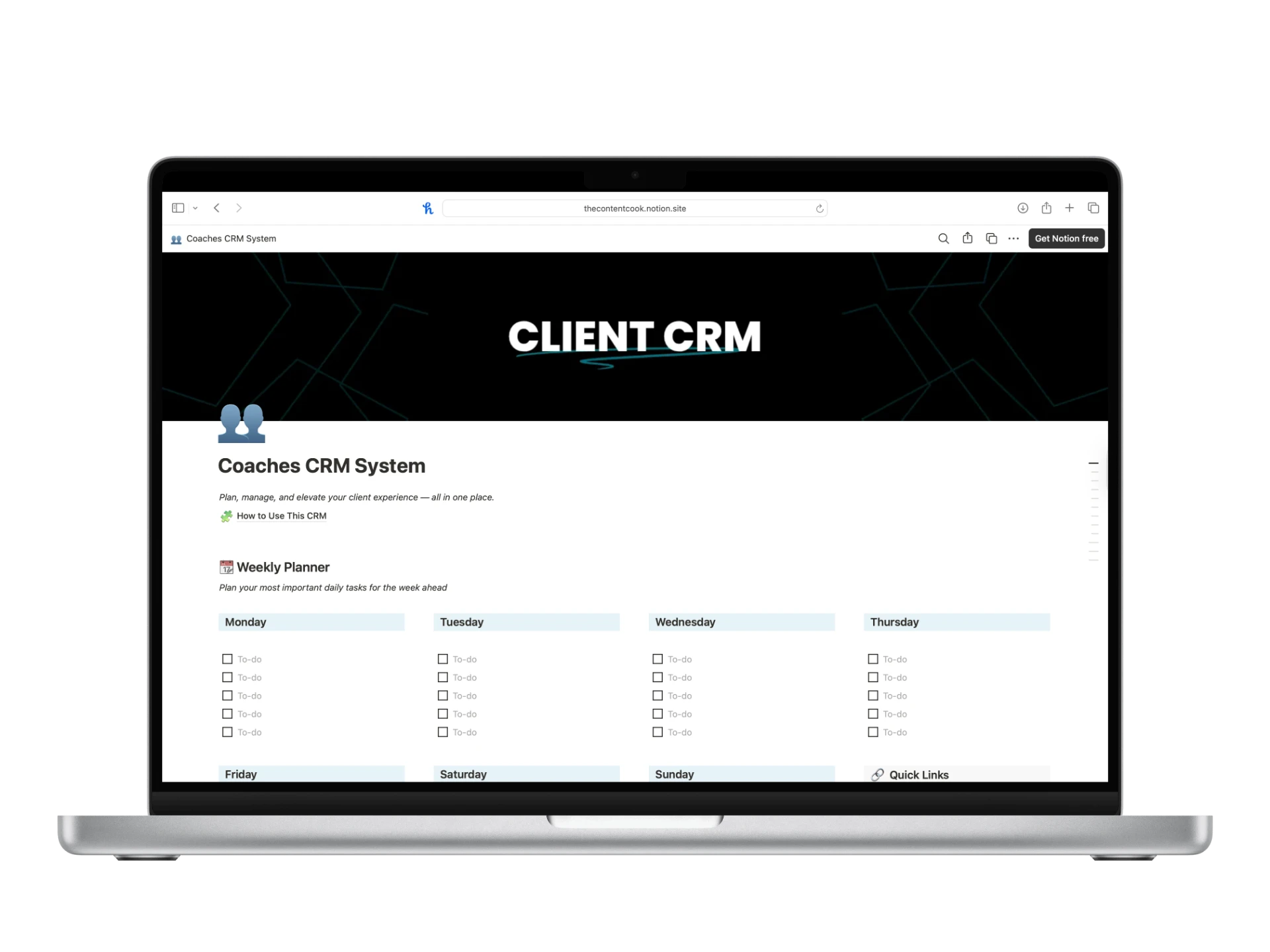
Then keep the answers with the client. Intake notes, check-ins and agreed actions are most useful in one place, next to the client’s record, where you’ll see them before each conversation.
| Check | Ask |
|---|---|
| Purpose | Do you know what you’ll do with the answer to every question? |
| Health screen | Have you written down what each answer means: referral, clearance or adjustment? |
| Consent | Is consent for health information asked for separately, and explained in a privacy notice? |
| Length | Can a client finish the weekly check-in in a few minutes? |
| Storage | Are responses in one place, with restricted access and two-step sign-in? |
| Retention | Do you know how long you keep records after coaching ends? |
The Notion CRM
Keep every answer
with the client.
A Notion workspace with a client database, a page template for each client, a weekly check-in database and a progress tracker, so intake notes, check-ins and next actions sit together. Works with Notion Free.
Explore the Notion CRM