
A new client has signed up. They’re ready to begin, but they may not know what happens next.
Do they book a call? Fill in a form? Download an app? Start keeping a food diary?
Those questions are yours to answer before they become a string of messages. A clear onboarding process takes someone from “I’ve joined” to “I know what I’m working on, where to find help and when we’ll review it.”
For an independent nutrition coach, that process needs to be manageable alongside the clients you already support. Every step should have a purpose, an owner and a clear point at which it is complete.
Here’s a practical sequence you can adapt to your service.
- 01Confirm signup
- 02Collect relevant information
- 03Prepare and meet
- 04Agree one action
- 05Check access
- 06Review and adjust
01 / The first week
Decide what a successful first week looks like
The first week doesn’t need to contain every assessment, resource and habit you might use during coaching.
By the end of it, the client should understand:
- What their service includes.
- What they have agreed to try first.
- Where their resources and messages live.
- How to ask for help.
- When their first review will happen.
You should have enough relevant information to decide whether the work fits your competence, prepare the first conversation and support the agreed action.
Both of you should be able to answer: what happens next, and who does it?
That gives you a useful way to assess your process. “Welcome email sent” records an activity. “Client knows how to complete intake and book their consultation” describes what the activity is meant to achieve.
Keep the distinction in mind throughout onboarding. Sending something and making it usable are different jobs.
02 / Immediately after signup
Confirm the signup and give one clear next action
Your confirmation message should connect the purchase to the service the person expects to receive.
Include the service name, the immediate next action and what you will do afterwards. If there is a start date or a consultation already booked, confirm it.
Here is an example for a fictional coaching service:
The response time is an example, not a standard you need to adopt. Choose one you can deliver and explain what counts as a working day.
Refer clients to the service terms and privacy information you actually use. A welcome message should not quietly introduce different terms or substitute for the agreements your business needs.
03 / Intake
Collect information you will actually use
A long questionnaire can look thorough while creating more work than insight.
Start with the information needed for your first decisions. That might include the client’s goals, food preferences, working pattern, cooking facilities, budget constraints and previous experience of trying to make changes.
Ask questions that leave room for context:
- “What would you like coaching to help you do?”
- “Which part of your current routine feels hardest?”
- “What have you already tried?”
- “Are there practical limits we should plan around?”
- “What would make the first few weeks useful to you?”
For each question, consider what you will do with the answer. If you cannot explain why you need it, reconsider collecting it.
Screening should match your qualifications, service and professional obligations. An intake form does not qualify someone to diagnose a condition or provide care outside their competence. Where a disclosed need falls outside your role, clarify the appropriate referral or additional support before proceeding with that part of the work.
Keep information handling equally deliberate. Use a suitable collection method, review who can access responses and avoid copying sensitive details across unnecessary tools. Check the privacy and security requirements that apply to your business and clients.
For UK businesses, the ICO’s data-minimisation guidance specifically describes limiting personal information to what is necessary for the stated purpose. Requirements elsewhere need their own check. ICO guidance
04 / The first conversation
Turn intake answers into a consultation agenda
Read the intake before the call. Note what the client wants help with, what remains unclear and which practical constraints deserve attention.
Use their answers to form questions rather than conclusions.
If someone writes, “I’m disorganised with food,” you could ask:
“What does that look like on a typical working day?”
If they say, “I’ve tried everything,” ask:
“Which approaches have you tried, and was there anything about them that you found useful?”
Neither answer tells you what to prescribe. They help you understand the person’s experience.
A first consultation might follow this adaptable agenda:
| Part of the conversation | What you are trying to establish |
|---|---|
| Confirm the purpose | What would make today’s conversation useful? |
| Explore the current routine | What happens in practice, including on difficult days? |
| Clarify intake answers | What needs more context or affects suitability? |
| Agree a starting point | Which manageable action does the client want to try? |
| Explain support | What resource or clarification would help? |
| Confirm the handoff | Who does what next, and when will you review it? |
Leave time for the client’s questions. A complete set of notes is less useful if the person leaves unsure what they agreed to do.
05 / A manageable start
Agree a first action the client has chosen
A broad goal gives direction. The first action needs to fit somewhere in the client’s actual week.
Consider this fictional example.
Alex wants working-day lunches to feel less last-minute. In the consultation, Alex explains that choosing food is manageable, but remembering to organise it before leaving home is difficult.
Rather than assigning a full meal plan, the coach asks which part Alex would like to tackle first.
Alex chooses:
“On Monday and Wednesday evenings, I’ll decide what I’m doing for lunch the next day and write down anything I need to organise.”
This is an illustrative planning action, not a recommendation for every client. Its usefulness comes from the conversation that led to it.
The coach then asks whether anything would make the action easier. Alex would like a few meal ideas, so they select a suitable recipe resource together.
Introduce it with a purpose:
“Use this if you want ideas when you choose your lunches. You don’t need to cook through the book or change every meal.”
Our white-label resource guide explains the types of prepared materials coaches can adapt for their services.
Educational resources support a conversation. They do not replace individual assessment or become medical nutrition advice simply because a coach has added their logo.
06 / Access and communication
Make access and communication straightforward
Once the action is agreed, check that the client can reach the things they need.
Tell them where to find their summary, where resources are stored and which channel to use for questions. Give a specific check-in day and explain when you will respond.
For example:
Your resources are in [client area]. Please send your check-in through [channel] on Friday. I review Friday check-ins by Monday afternoon.
For questions between reviews, use [channel]. My usual response time is [accurate expectation] during [working days].
If you cannot access your resources, contact [support route].
Explain the limits of your communication service, including that routine coaching messages are not an emergency support channel.
This is also the point to hand over the welcome pack. It should give the client a reference for the practical arrangements you have explained. The onboarding process determines when you send it, how you introduce it and whether the person can use it; the pack itself is a separate document.
Ask the client to confirm that the relevant links open. If access fails, resolve that before assuming they have ignored the resource.
07 / Your working record
Keep the next task visible
An onboarding record should help you resume the work without searching through several conversations.
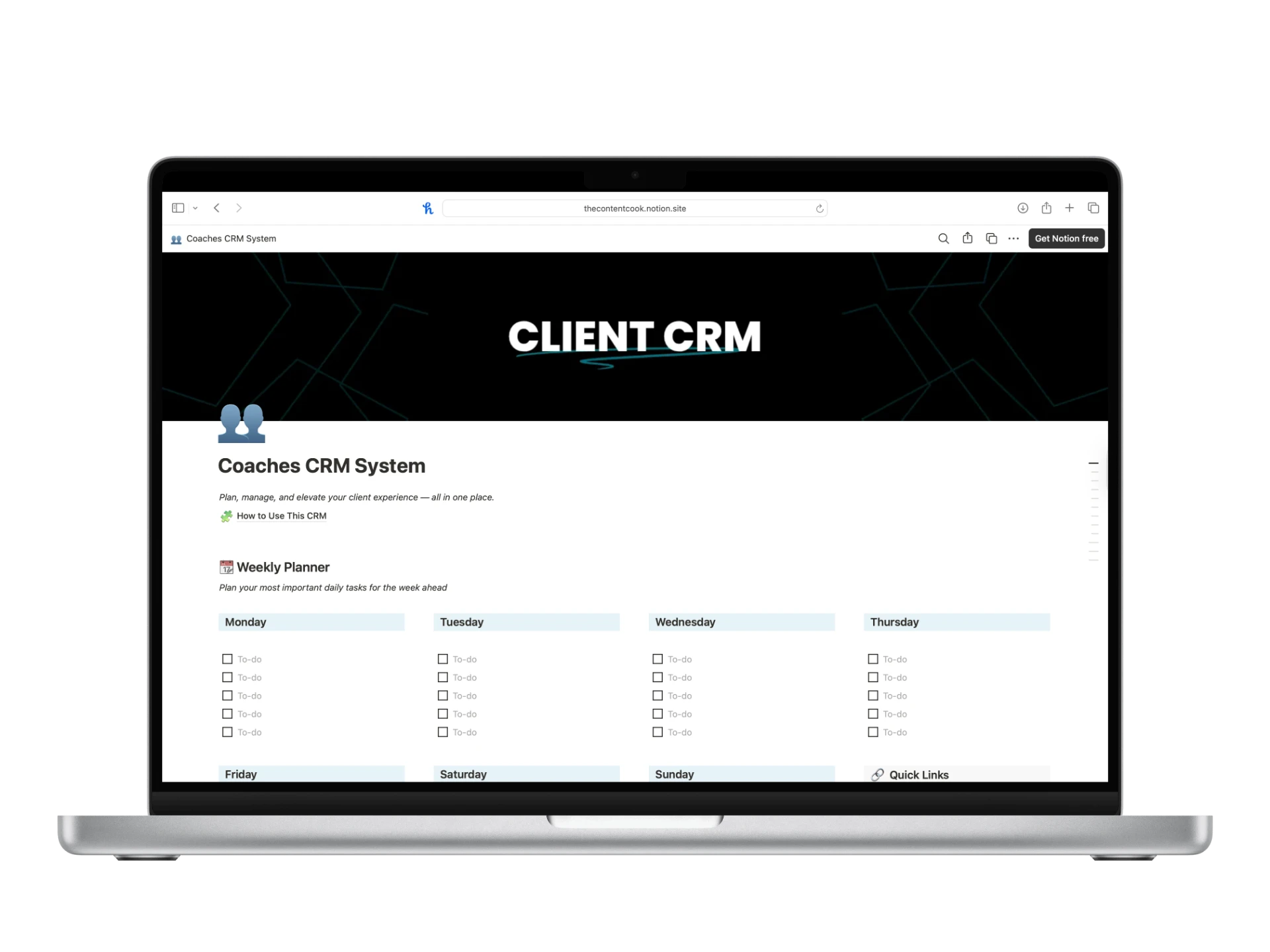
The Content Cook’s Notion CRM includes a client database, reusable client pages, a weekly check-in database, a progress tracker, tasks and a lead-to-client pipeline. These provide places to organise the process, but you still need to decide what to record and keep it up to date.
For Alex, the working information could look like this:
Alex / Fictional example
- Current stage
- First action agreed; awaiting first review
- Next task
- Review Alex’s first check-in
- Due
- Monday, week two, by the agreed response time
- Review note
- Ask whether the evening planning prompt fitted Alex’s routine and whether the resource was useful.
Illustrative record, not a CRM screenshot. These labels describe the information to track; adapt them to the fields in your own workspace.
Keep operational tasks separate from unnecessary personal detail. “Check resource access” is enough for an access task; it does not require copying the client’s intake history into the task description.
Entering a due date and arranging a reminder are separate steps. Check your workspace settings rather than assuming that recording a task will send a notification.
08 / Review and adjust
Review what happened, including what got in the way
The first review is a chance to learn whether the agreed action fitted the client’s life.
For Alex’s example, useful questions include:
- Did you get an opportunity to try the evening planning step?
- What made it easier or harder?
- Did the resource help, or was something missing?
- Is this still the action you want to work on?
- What would you keep, change or simplify?
Avoid treating completion as the only useful information. A practical barrier may show that the action needs adjusting.
If Alex found Wednesday evenings consistently difficult, discuss another time or a smaller version of the task. Confirm the choice together and update the record.
Follow-up support should respond to that discussion. Share a relevant handout if it answers an identified question; avoid sending a whole library simply because the client has reached the review stage.
If the client does not respond
First check whether the check-in instructions and access worked. Then send one neutral follow-up through the agreed channel:
Hi Alex, I haven’t seen your check-in yet. Were you able to open it?
If this week became difficult to manage, let me know and we can discuss the next step. There’s no need to fill in missing information from memory just to complete the form.
Record the contact and follow your stated missed-check-in process. Avoid repeated nudges, assumptions about motivation or promises to extend the service beyond the agreed terms.
09 / Put it into practice
A copyable onboarding checklist
This example timeline is adaptable. Here, signup happens on Monday, the first consultation takes place on Wednesday, the client checks in on Friday and the coach reviews it by Monday afternoon. Different services may need more time.
| When | Task | Owner | Completion signal |
|---|---|---|---|
| Day 1 | Confirm the service and send the intake link | Coach | Message sent with next action and response expectation |
| Day 2 | Complete intake or raise questions | Client | Answers received, or difficulty identified |
| Day 3 | Review intake and clarify suitability or missing information | Coach | Ready to proceed, or referral/clarification step recorded |
| Day 3 | Confirm consultation arrangements | Coach and client | Appointment and access details understood |
| Day 3 | Hold consultation and choose the first action | Coach and client | Action and review arrangements agreed |
| Day 3 | Send summary, relevant resource and welcome pack | Coach | Materials delivered through the agreed route |
| Day 4 | Confirm access and communication instructions | Client, with coach support | Links work; unresolved issues have an owner |
| Day 4 | Record the next task and due date | Coach | Upcoming review visible in the working system |
| Day 5 | Send the first check-in | Client | Response received, or missed-response process begins |
| Day 8 | Review, respond and agree the next step | Coach and client | Record updated with the next action and review date |
The checklist is there to support your judgement. A client who needs clarification should not be moved ahead simply to keep the dates tidy.
Keep the process in one working system
When client notes, check-ins and tasks sit in different places, the handoffs become harder to see.
The Notion CRM provides a structure for organising client pages, progress, check-ins and coaching tasks. Adapt it to the process you actually deliver, then use it to keep the next action visible.
It is an internal business tool for your own coaching workflow. It is not a resource to rebrand and resell, and it does not make suitability decisions or deliver coaching on your behalf.
Start with the sequence you can explain clearly to a new client. Give each stage an owner, confirm the handoff and make sure both of you know what comes next.
The Notion CRM
Your clients. Your next steps.
One place to organise them.
Explore the workspace for client pages, check-ins, progress and coaching tasks.
Explore the Notion CRM