
A new client has signed up. Now they need the practical details: what happens first, where to ask questions and how your coaching will work.
A welcome pack puts those answers in one place. It gives your client something to return to when they cannot remember the check-in day or find the link you sent.
Our Welcome Guide, included in the E-Guide Bundle, gives you a starting structure. Here is how to make it specific to your service and useful to the person receiving it.
01 / A useful starting point
Give the pack a clear job
A client opening the document on their phone should quickly understand what they have signed up for, where to find the essentials and what to do next.
You do not need to explain everything you know about nutrition. Keep the pack focused on starting the coaching relationship, with links to supporting information where needed.
The document sits within your wider onboarding process. For the sequence from signup to the first review, read our nutrition client onboarding guide. This article concentrates on the document itself: its contents, wording, personalisation and delivery.
02 / The contents
Decide what your client needs to find
Gather the information before opening the design. It is much easier to arrange a page when you know what it needs to say.
- A personal welcome and a clear first action.
- A summary of the service the client purchased.
- Contact details, working hours and response expectations.
- The first-week steps, in order.
- Check-in instructions, timing and the correct form link.
- Resource access and help if a link does not work.
- Answers to common practical questions.
- A version date so you can identify older copies.
Keep detailed intake questions in your intake form and formal terms in the relevant agreement. The welcome pack can point to those documents without repeating them.
Our guide also includes a programme snapshot, a roadmap, a nutrition outline and a training strategy. Review each section against your actual service. A nutrition-only coach may have no need for the training page. Removing an irrelevant section is part of personalising the pack.
03 / Your introduction
Write a welcome that sounds like you
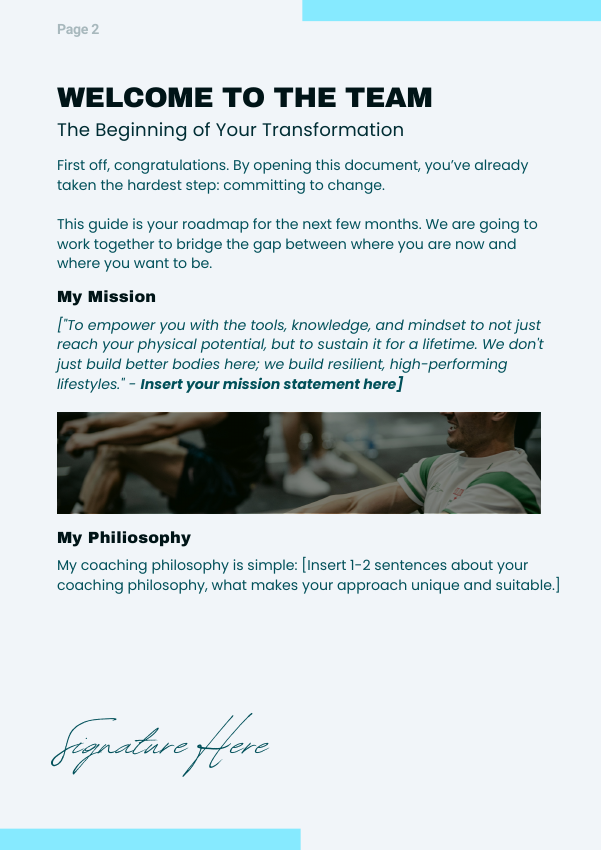
The Welcome Guide has space for your mission and coaching philosophy. Use it to explain your approach in ordinary language. A client should understand what working together will involve after reading it.
Here is an example for a fictional coach and client:
Hi Alex,
Welcome, and thank you for choosing to work with me.
We’ll begin by talking about your usual routine, what you would like support with and what feels manageable at the moment. From there, we’ll agree a first action and review how it works for you.
This guide explains the practical details, including where to ask questions and how to complete your check-in.
Your first step is to complete the intake form linked in your welcome email before our consultation. Make a note of anything you would rather discuss together.
Jamie
The message ends with one action. Your client does not have to decide between reading several guides, starting a tracker and changing their meals before you have spoken.
Replace the fictional names and instructions with your own. Read the message aloud: if it sounds unlike something you would say to a client, simplify it.
04 / Working together
Make expectations easy to understand
The guide’s “Our Joint Commitment” page places the coach’s responsibilities beside the client’s. Use that structure to explain what you provide and how the client can participate.
What you can expect from me
I’ll review your check-in, respond within our agreed timeframe and help you decide what to continue or adjust.
What I ask from you
Tell me what you tried and how it went. If something was difficult or did not happen, include that too. It gives us something useful to discuss.
Be specific about communication. “Message whenever you need” does not explain when a reply will arrive.
Please send coaching questions through the client portal. I check messages Monday to Thursday and aim to reply within two working days. The portal is not monitored continuously.
For appointment changes, direct clients to the arrangements they have already agreed:
Use the booking link in your confirmation email to change an appointment. Your service agreement explains the notice required and any cancellation charges. If the link does not work, contact me through the portal.
These are editable operational examples, not legal clauses or confirmed business policies. Replace the hours, response times and instructions with arrangements you actually provide. Keep them consistent with your service agreement.
Check the resource-access wording too. If clients receive selected guides, do not promise access to your whole library. Describe your professional role accurately and explain that questions outside it may need another source of support.
05 / Inside the guide
Turn the template into your client’s pack
The supplied Welcome Guide contains eleven PDF pages. You can shorten or adapt that structure. Work through the following six areas rather than treating every placeholder as something you must fill.
1. Personalise the cover
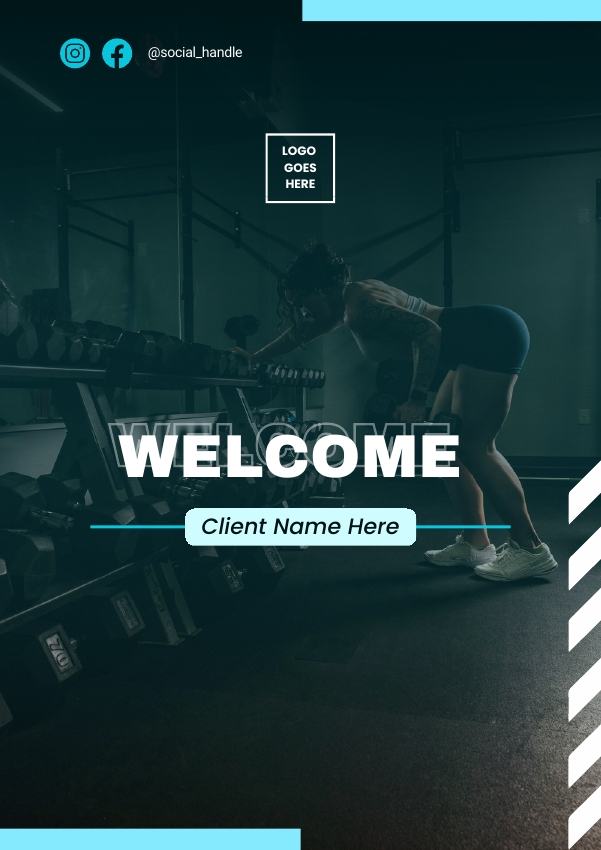
Replace the logo placeholder, social handle and client name. Check that the image suits your service and audience. Keep the title easy to read and add a version date somewhere consistent.
2. Add your welcome and next step
Use the welcome page to introduce your approach, then add a prominent “Start here” instruction. Link to the intake form or booking page using a descriptive label such as “Complete your intake form”.
3. Complete the programme snapshot
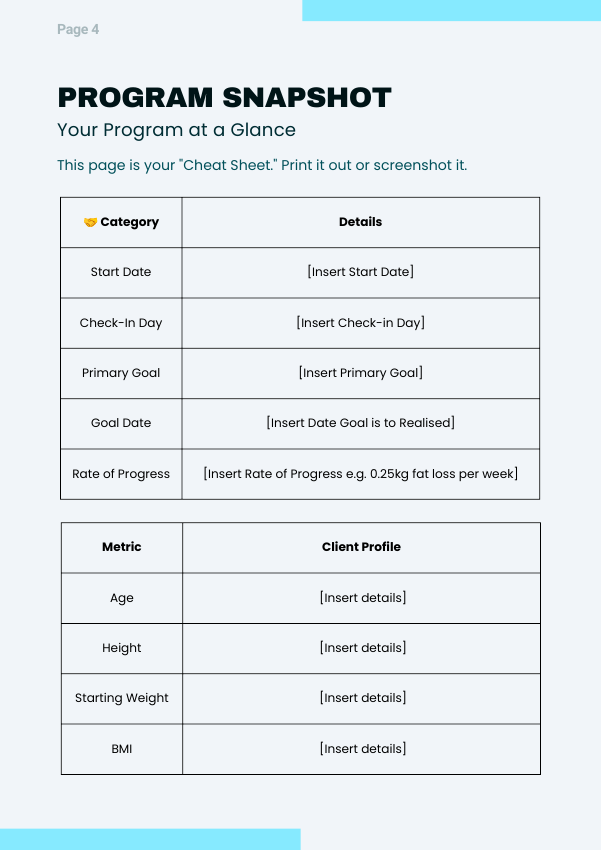
The snapshot brings key details into a table. Adapt it into a quick reference rather than repeating the entire intake record.
| Start date | 12 October |
|---|---|
| First consultation | 14 October, 10 am |
| Current focus | Practical lunches for workdays |
| Check-in day | Tuesday |
| Where to check in | Client portal |
| Next review | 21 October |
The template includes fields for measurements and a rate of progress. Keep only information relevant to the agreed service. A review date tells the client when you will revisit the plan without promising a result by a particular deadline.
4. Explain the roadmap and first week
Use the roadmap to outline the stages of your service. For example: get started, agree a first action, review how it went, then plan the next stage. Treat this as an overview that you can revisit together.
Give the client a short first-week checklist: check portal access, complete intake, attend the consultation and confirm the first check-in date. Avoid assigning extra tasks simply to fill the page.
5. Adapt the nutrition and check-in pages
The nutrition outline contains target tables, but your service may use a different approach. You could use this space to summarise an action agreed during the consultation, when the client intends to try it and what you will discuss afterwards.
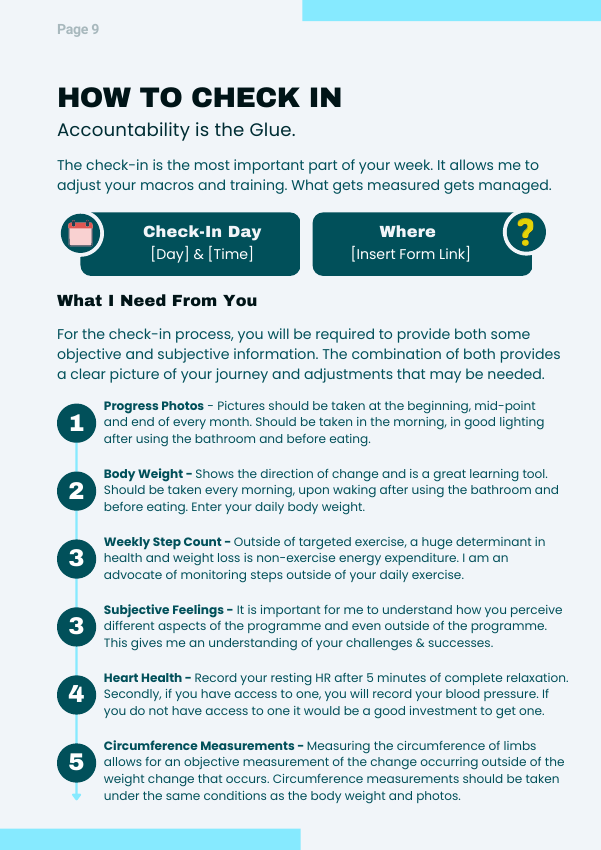
On the check-in page, make the day and form link easy to spot. Explain what to submit and when you will respond. A useful answer might be: “I packed lunch on Monday and Wednesday. On Thursday I left earlier and had nothing prepared.”
The template lists several measurements. Review that list for relevance rather than presenting every item as a requirement for every client.
6. Finish with useful links and FAQs
Include the portal, appointment details and any agreed supporting resource. Answer practical questions about access, missed check-ins and appointment changes. Keep answers consistent with the rest of the pack.
If a client misses a response, wording such as “Send me a message when you can so we can agree how to pick things up” gives them a clear route back into the conversation.
06 / Supporting education
Choose one relevant guide to accompany it
The welcome document explains the service. A supporting educational guide helps with a particular topic. Give each a clear purpose.
If a client has asked about eating while travelling, you might introduce The Travel Nutrition Playbook like this:
You mentioned wanting to talk about food while travelling. If you have time before our session, browse this guide and note one situation you would like help planning for. There is no need to work through it all before we speak.
This tells the client why you shared it and what to do with it. Sending the full library without an introduction leaves them to make those decisions themselves.
Use resources within their licence and keep editable source links separate from client-facing files unless sharing them is permitted. Our white-label resource guide explains how ready-made materials can fit into your coaching service.
07 / Make it yours
Brand it, then test the finished file
Once the wording is settled, apply your logo, colours and fonts. Follow our Canva branding walkthroughs for detailed editing and PDF export instructions.
Keep headings clear and give instructions room to breathe. Use descriptive link labels, readable body text and enough contrast between text and background.
Before delivery, replace every placeholder, check the contents page against the final page order and confirm that the service details match the client’s purchase. Open every link in the exported PDF and read it on your phone as well as your computer.
Give the file a recognisable name, such as “Alex — Coaching Welcome Guide.pdf”. Keep a dated master copy so the next update starts from the right version.
08 / The handover
Send it with one clear instruction
The delivery message should repeat the first action, even when that action is already in the pack.
Subject: Your welcome guide and first step
Hi Alex,
Your welcome guide is attached. It brings together your contact details, check-in instructions and the links you’ll need.
Please start by completing the intake form linked in the guide before our consultation.
Could you reply to confirm that you can open the guide and access the form? If either gives you trouble, let me know.
See you soon,
Jamie
Review the master whenever your service, working hours, check-in process or resource locations change. Replace outdated download copies and tell existing clients about changes that affect them.
A useful welcome pack gives your client dependable information and an obvious next step. Start with the structure, make the details yours, and check the finished document from the client’s point of view.
The E-Guide Bundle
A welcome guide.
And resources to build on.
The Welcome Guide is included in our E-Guide Bundle, alongside educational resources to support your coaching. Start with the welcome document, then choose a relevant guide for your client’s next step.
Explore the E-Guide Bundle →